
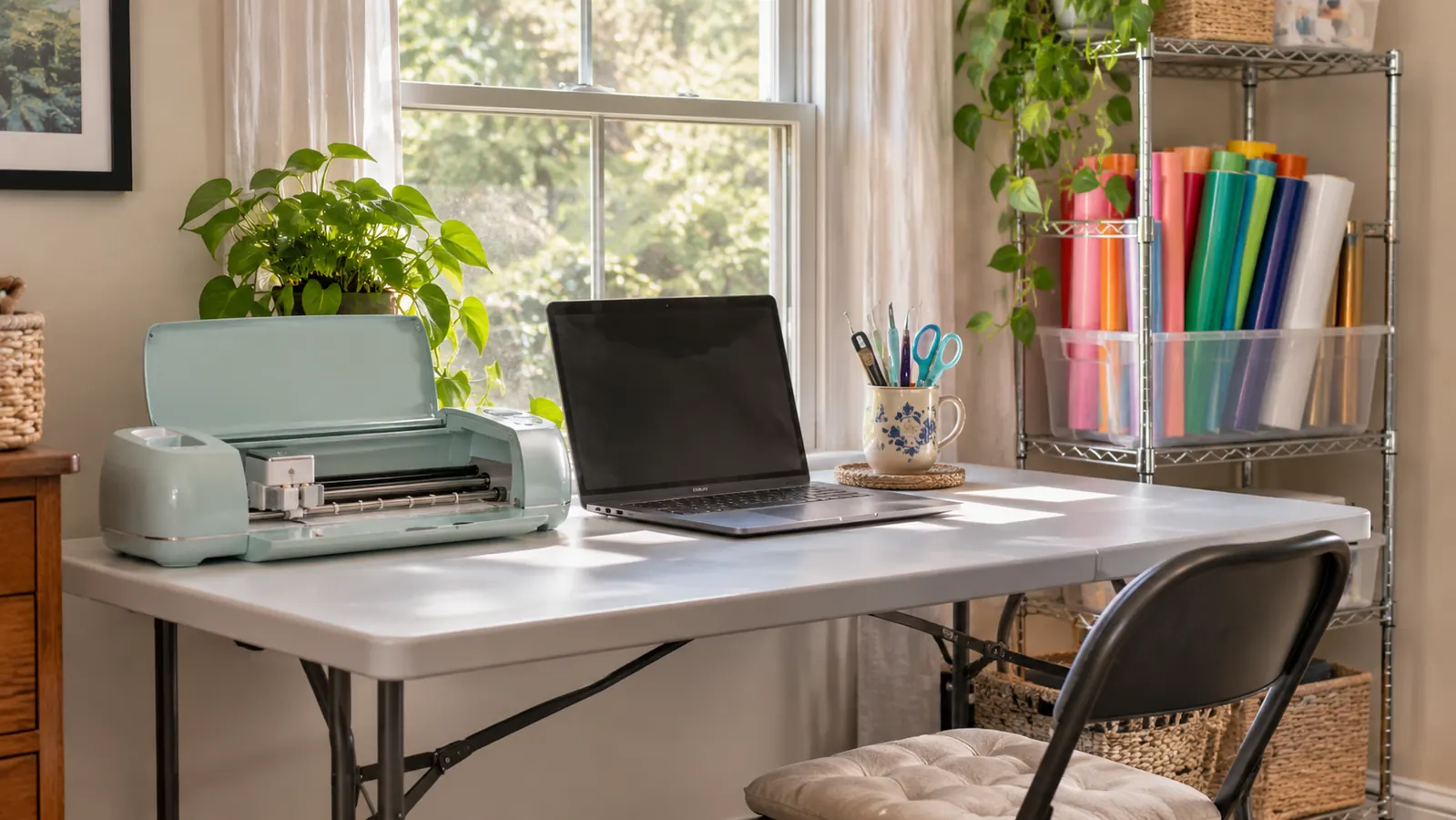
I bought the Cricut Joy Xtra in March 2026, in the same order as a roll of Sooez vinyl, a tiptopcarbon weeding set and a roll of YRYM HT transfer tape. I am 58, retired after thirty years in a school office in Tulsa, and I had never cut vinyl before that month. Bev from church showed me a decal on her water bottle in February, and I thought I could make a few names and labels for friends. That was the whole reason. I did not need a machine that could wrap a car. I needed one that would sit at the left end of my six foot folding table in the spare bedroom and not take over the room.
Eight months later, the Joy Xtra is still on that table. It has cut permanent vinyl, iron-on and cardstock once. It made a name decal for Glen's toolbox, a run of labels for church, and some shirt fronts after I added a heat press in June. It has also made me cross with my laptop more than once. This is the review I wish I had read before I ordered, because the cheerful videos leave out the parts that decide whether a machine suits your table.
The Quick Verdict
A small, sturdy cutter that earns its place on a folding table. It is not the machine for large signs, and the first week in Design Space will try your patience.
Amazon Check Today's Price →A Cutter Sized for the Spare Room, Not the Garage
If your work area is one table and your jobs are names, labels and shirt fronts, the Joy Xtra fits the space and the work. It is 12.5 inches wide, 6 inches deep and 6 pounds.
Amazon See the Cricut Joy Xtra on Amazon →How I've Used It
The Joy Xtra sits at the left end of the folding table. The laptop sits in the middle. A plain pressing mat is on the right, and the tiptopcarbon tools stand in a mug beside the cutter. The wire shelf behind me holds the EasyPress SE on the top shelf and the vinyl rolls upright in a plastic bin on the middle shelf. That is the whole setup. The machine does not leave the table. I took finished decals to the church craft fair in October, not the cutter.
My first cut was a small name decal for Glen's toolbox. I weeded it with a straight pin from my sewing box, because I did not know any better, and the G tore. I cut it again, opened the weeding set and used the hook, and it came out clean. The decal is still on his toolbox. That was the only real failure I had with the machine itself, and it was my fault, not the machine's.
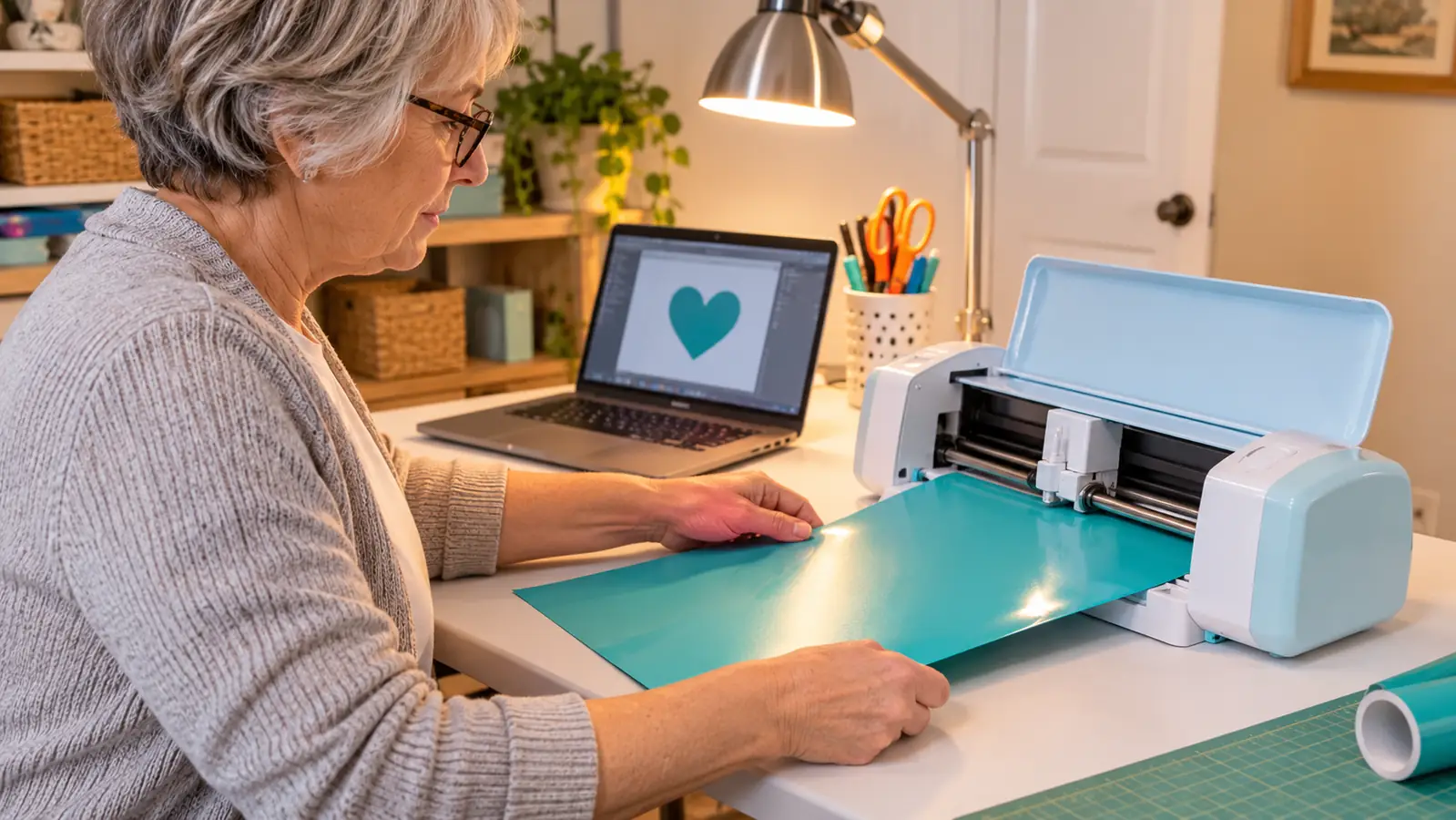
The table work is the part I did not expect to enjoy. I trim a piece of vinyl to fit, lay it on the mat, and smooth it down with the side of my hand. Then I feed the mat in and the machine takes it, runs it back and forth under a steady mechanical hum, and stops. A name takes a couple of minutes. I sit at the table for it. While it runs I wipe the table down or find the next piece of vinyl, and the whole job feels less like operating equipment than like doing a small chore well.
I do a few small projects a month, not a business. I weed a couple of evenings a month at most, under the desk lamp with my reading glasses on, because the tools are small and the vinyl is thin. I have never changed the blade or adjusted it. I pick the material in Design Space, send the cut, and the machine does the rest. The learning curve was in the software, not in loading the mat. My scraps go in a shoebox rather than on the carpet.
What Nobody Tells You About the First Week
The first thing nobody tells you is that the machine is smaller than the videos make it look. Mine is 12.5 inches wide, 6 inches deep and 5.5 inches high, and it weighs 6 pounds. That is why I could set it on a folding table and still have room for the laptop. It is also why I turned down a request for a large church banner. The Joy Xtra is not built for that, and pretending otherwise would have wasted my time and the church's.
The second thing is the mat. I cut on the machine's own mat, which is 8.5 inches wide. The Sooez roll I bought is 12 inches wide, so I trim a piece with scissors before it goes on. That is not a defect. It is the size of the machine. But nobody says it plainly in the unboxing videos, and it surprised me in my first week. Now the scissors live beside the mug of tools and I trim without thinking about it, two or three pieces at a time so I am not stopping mid project.
The third thing is the software. Cricut Design Space is not hard once you know where things are, but the first week feels like a room with too many doors. The free content library has 3,000+ images and 100+ fonts, and the wider library runs to 1.5 million images and more than 1,000 fonts. That sounds generous, and it is. It is also a lot to scroll past when all you want is a plain name in a clean font. I learned to type what I wanted into the search and ignore the rest of it entirely.
The fourth thing is sizing. I type a name, drag a corner of the shape, and watch the number at the top of the screen. A name longer than about eight inches has to be shrunk or split, and knowing that before you type saves you an argument with yourself at nine in the evening.
The fifth thing is that a small machine invites small jobs. That is not a complaint. It is a fact to decide about before you order. If your list is names on tumblers, labels for a cupboard and a shirt front for a friend, the Joy Xtra is enough. If your list starts with a four foot sign for the front yard, you will be cross with this machine and with yourself, and no amount of cheerful video will fix that.
The machine is 12.5 inches wide and the mat is 8.5. That gap is the whole story of what this cutter will and will not do.
The Size Is the Point, and the Limitation
If you have a spare bedroom and a folding table, the size is the feature. My table is six feet long, and the cutter takes the left end of it. The Joy Xtra sits in a footprint smaller than a sheet of paper. I can leave it out and still use the table for pressing. It does not need a dedicated room or a long counter. That matters more to me than a wider cut area, because I do not make large signs and I do not want to give up the room I already have.
The limitation is the same size. The machine works with 50+ materials, including vinyl, iron-on HTV, cardstock and stickers, but it will not cut a four foot banner. I turned down one request for a large church banner because I knew it could not do it in one piece. I could have pieced it across several passes, lined the seams up by eye and hoped. That is not the job I want at my table, and I would rather say no than hand over something with a crooked join down the middle of a word.
I also learned to trim wide vinyl. The Sooez roll is 12 inches wide and the mat is 8.5. I trim a piece to fit, flatten it under books overnight when the roll curls, and then run it through the machine. The trimming takes a minute. The flattening takes patience and a heavy book from the shelf in the hall. That is the honest trade for a machine this small. I would rather trim a piece than give up the table space, every time.
The 6 pound weight matters too. I lifted it onto the table myself in March, and I did not need Glen to help me. It is plastic and light and it does not feel like shop equipment. That is a good thing in a spare bedroom. It is a bad thing if you want a machine that looks like it belongs in a sign shop. I wanted the first thing, and I suspect most people reading this want it too.
The Software Is Half the Machine
I run Cricut Design Space on my laptop. I have never used Print Then Cut, because I do not own an inkjet printer. The listing says the Joy Xtra is compatible with an inkjet printer for full color stickers and similar projects. I believe it. I just cannot test it, and I would rather say so than pretend. If stickers are your main plan, you need a printer as well as the cutter, and that is a second purchase to plan for.
The part I use is simple. I pick a shape or type a name, choose the material from the list, and send it. The machine handles the cut once I pick the material. I have not adjusted the blade and I have not changed it. That is a small mercy for someone who had never cut vinyl before March. I do not miss the idea of setting a blade by hand, and I would not know how to start.
The hard part is the choices. The library is enormous and the tools are not arranged the way a beginner thinks. I spent one week confused and by May I was comfortable. That is about ten weeks from first cut to comfortable, not ten minutes. If you want to open a box and cut a perfect decal in an hour, you will be cross. If you are willing to learn one program, and only one, you will be fine.
What helped was saving my work. I keep a plain font and a small label shape saved. Opening a saved project and retyping the name is faster than starting from nothing, and it stops me from scrolling the library for twenty minutes and losing the whole evening to browsing. I also stopped trying to plan designs away from the table. Working at the laptop beside the machine means I can check a size by looking up, instead of walking to the other room and back to see whether a name will fit.
What It Does Well
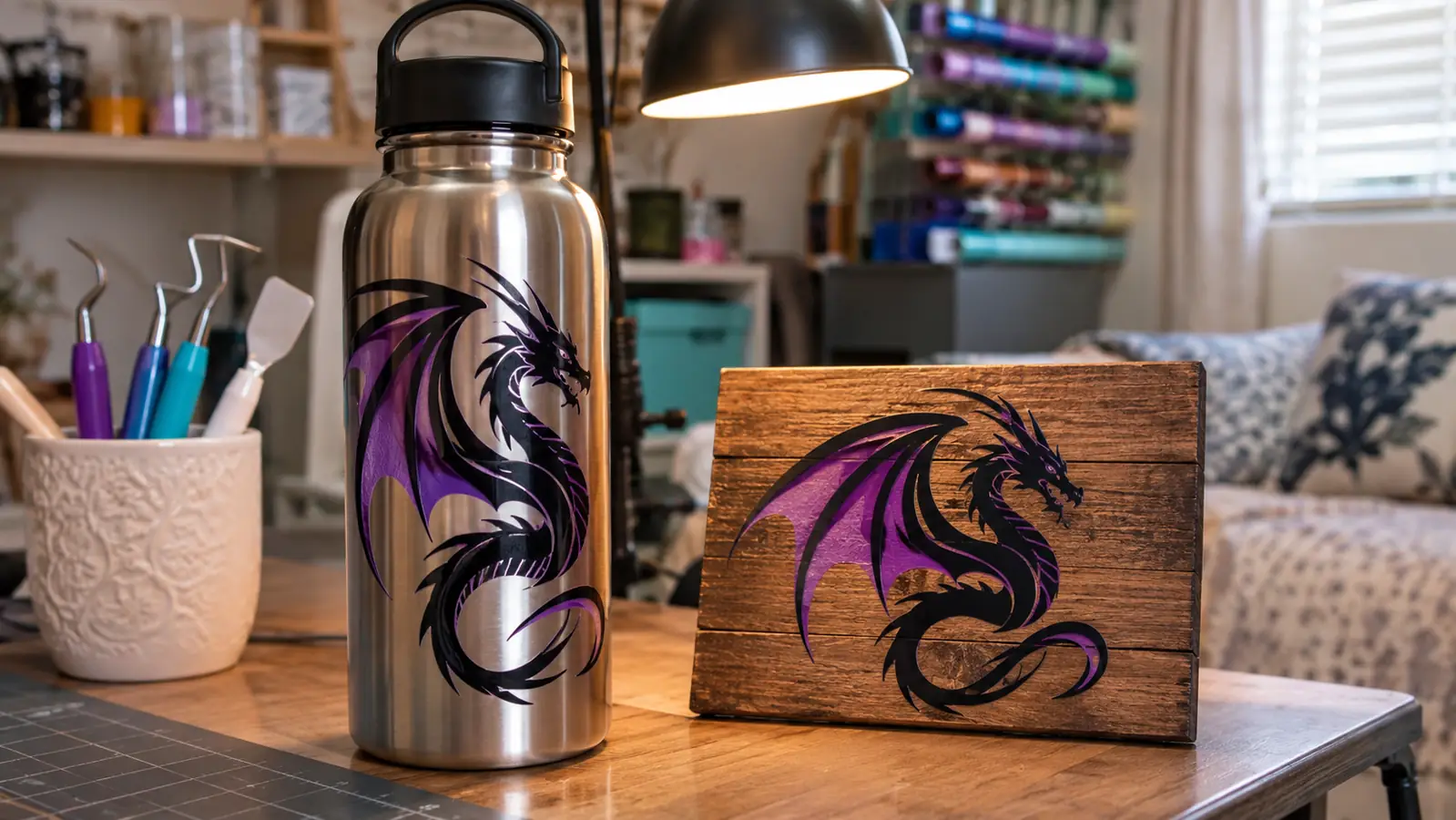
The Joy Xtra is good at small flat work. It cut a name decal for Glen's toolbox. It cut labels for church. I added a heat press in June. It cut cardstock once in April for a card, and the edges came out rough, so I did not try cardstock again. That is an honest limit, not a machine failure, and it cost me one sheet to learn.
The machine is easy to live with. It is 6 pounds. It does not need to be put away. I can leave it on the table with the tools in a mug and the laptop in the middle. I pick the material and it does the cut. I do not sit there turning a dial or holding anything steady. That sounds small until you have tried to do anything else with your hands while a cut is running.
The small wins are the ones I notice. A name decal on a toolbox. A few labels for church. A small decal for a friend. The machine does not promise a business and I would not say it made me one. It made small projects possible at my own table, in the room where I already sit in the evening, which is exactly what I wanted in March and it is still what I want now.
What I Liked
- Compact at 12.5 inches wide, 6 inches deep and 5.5 inches high, and 6 pounds
- Cuts vinyl, iron-on HTV, cardstock and stickers, with 50+ materials listed
- Free Cricut content library has 3,000+ images and 100+ fonts
- No blade adjusting for me in eight months
- Sits in a footprint smaller than a sheet of paper on a six foot folding table
Where It Falls Short
- Narrow mat, 8.5 inches wide, so wide vinyl must be trimmed first
- No large signs or banners, and I turned one job down because of it
- Cricut Design Space takes about a week to feel normal
- Print Then Cut needs an inkjet printer, which I do not own
- Cardstock edges came out rough the one time I tried it
Who This Is For
This is for the person who wants to make decals, labels and shirt fronts at a table in a spare room. You have a laptop, a few square feet, and no interest in a garage full of equipment. You are willing to spend a week learning Cricut Design Space and a second week getting the sizes right. You are not expecting the machine to find customers for you or to cut a four foot sign.
It is also for someone careful with money who does not want to buy more machine than the work needs. Look at your own list before you look at the machine. If it is names, numbers and small labels, the Joy Xtra covers it and you are done. If it is signs, banners and anything wider than a mat, put your money somewhere else and save yourself the aggravation. The machine is 12.5 inches wide and 6 pounds. It is small enough to leave out and small enough to forget about between projects, and that suits a hobby with a few orders a month.
Who Should Skip It
Skip it if your first project is a large banner, a big window graphic or a yard sign. The machine will not do it in one piece and you will be fighting the size from the first cut. I turned down a large church banner because I knew that, and it was the right call.
Skip it if you want full color stickers and do not own an inkjet printer. The listing says Print Then Cut works with an inkjet printer. I have no inkjet printer, so I have not used it and I will not pretend otherwise. Sort out the printer before you sort out the cutter.
Skip it if you are not willing to learn software. The machine is the easy part. Design Space is where the first week goes, and the second week, and a bit of the third. If you want to avoid a computer altogether, this is not the tool for you.
For Names, Labels and Shirt Fronts, This Is Enough Machine
The Joy Xtra is small, 6 pounds, and happy on a folding table. If your list is small decals and shirt fronts, it will do the work. If your list starts with a banner, keep looking.
Amazon See the Cricut Joy Xtra on Amazon →