
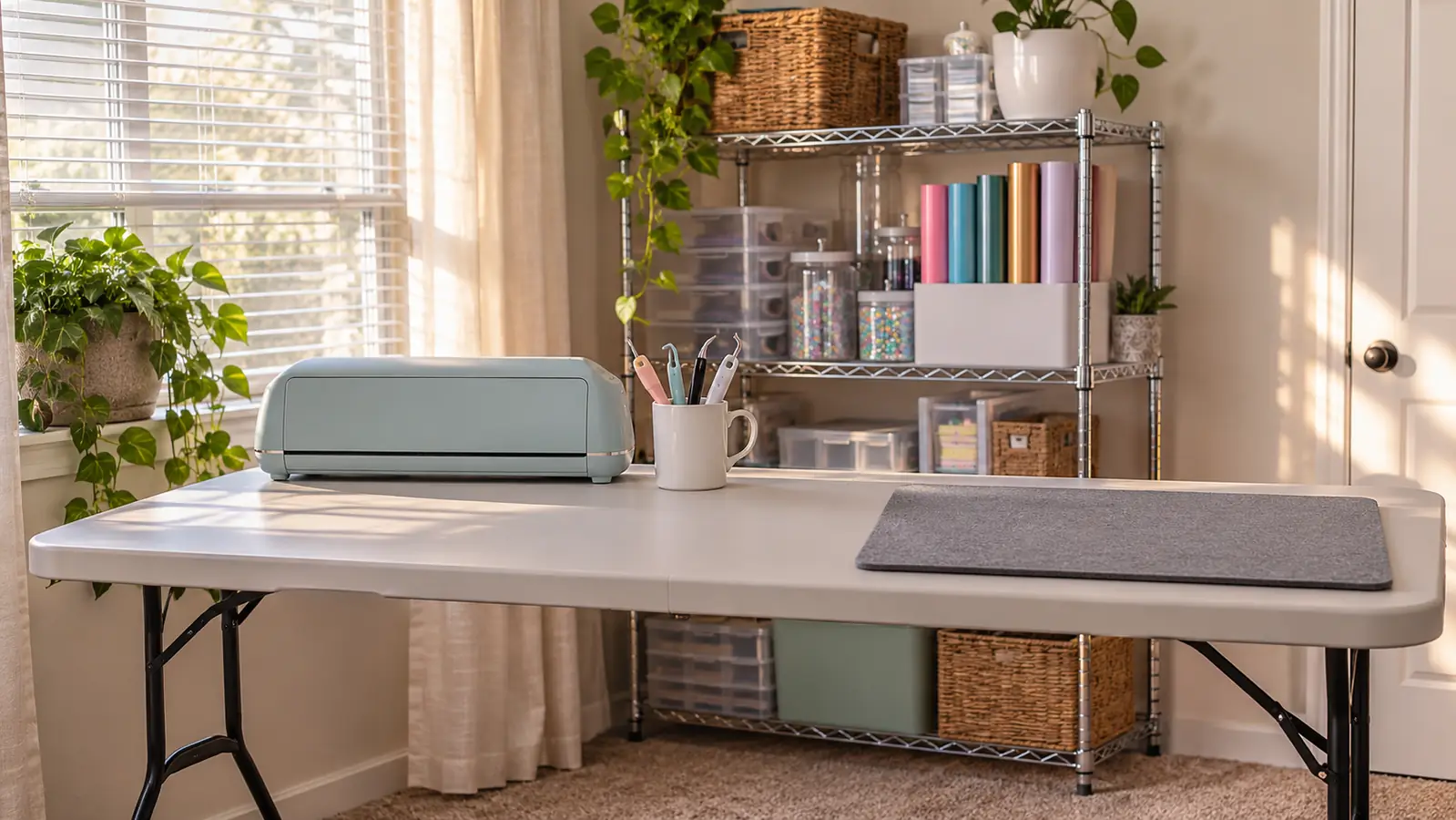
I bought the Cricut Joy Xtra in March, on the strength of a small name decal Bev showed me at church. Before that I had never cut vinyl in my life, and I did not know what a cutting mat was for. Bev owns the Silhouette Portrait 4, and I have used hers twice at her dining table with her sitting beside me telling me which button to press. So this is not a lab test and I will not pretend it is one. It is a woman of 58 in Tulsa, one folding table in the spare bedroom, and eight months of small projects for friends and for my church.
The short answer. Both machines are small enough for a home table, and neither one is a workshop in a box. I would buy the Cricut Joy Xtra again, because what I wanted was to pick a design, cut it, and not learn a design program first. The Silhouette Portrait 4 is the one I would look at hard if I already drew my own art, or wanted to learn. That is the answer in two sentences. The rest of this is the working out, including the places where Bev's machine is plainly the better tool.
One thing to say before the table. I have not tested the Portrait 4 the way I have tested my own machine. Two afternoons at Bev's house, with her beside me, is not a review, and I am not going to dress it up as one. Everything I say about hers is something I saw with my own eyes or something she told me while I stood there. Where I could not judge, I say so.
| Cricut Joy Xtra | Silhouette Portrait 4 | |
|---|---|---|
| Footprint on a folding table | 12.5 in wide, 6 in deep, 5.5 in tall, 6 pounds. It takes a little over a foot of my table and leaves the laptop room to open. | Covers noticeably more of Bev's dining table than mine does. She leaves hers out all the time, which she can because she has the room. |
| Software | Design Space. Confusing for about a week, ordinary by May. I pick a design, size it, and send it. | Silhouette Studio. Denser, built like a design program rather than a catalog. Bev sat beside me both times, so I cannot claim I learned it. |
| Working from your own art | Design Space has drawing tools. In eight months I have not touched them. Every design I have cut came out of the library. | Bev builds her own layouts in Studio and cuts from them. That is what the program is built around, and it shows. |
| Materials it will take | The listing says 50+ materials, including vinyl, iron-on HTV, cardstock and stickers. I have cut three: permanent vinyl, iron-on, and cardstock once. | Bev cuts vinyl and cardstock on hers. I have not tried anything else on it and I will not pretend otherwise. |
| Blade and cut settings | I choose the material in Design Space and the cut is handled for me. I have never changed or adjusted the blade. | Bev talked me through the settings both times. I have no opinion on her blade worth printing. |
| The first week | About a week of fumbling, then it clicked and I stopped thinking about the software at all. | I would not have found my way around it alone in that first week. Bev sitting there was the whole reason it went smoothly. |
| Big signs and banners | A small machine. I turned down a request for a large church banner because it will not do a piece that size. | Also a small machine. It would not have taken that banner either. |
| Best for | Someone who wants to pick a design and cut it, on a table that has to stay a table the rest of the time. | Someone who already draws, or wants to learn, and does not mind a steeper program to get there. |
What a table like that cannot tell you is how either machine feels on a Tuesday evening when there is one name to cut and half an hour before supper. That part is below.
Where the Cricut Joy Xtra Wins
The Joy Xtra is 12.5 inches wide, 6 inches deep and 5.5 inches tall, and it weighs 6 pounds. Numbers like that mean nothing until you own a folding table. Mine is 6 feet long and it was already in that room before any of this started. It has to hold everything: the cutter at the left end, the laptop in the middle, a pressing mat at the right end, and a mug of weeding tools standing beside the cutter. Behind the table is a wire shelf, with the heat press on the top shelf and the rolls of vinyl standing upright in a plastic bin on the middle shelf. The Joy Xtra takes a little over a foot of that length, which leaves the laptop room to open and still leaves me a clear patch at the right end to lay a shirt down on. Bev's Portrait 4 covers more of her dining table than mine does. If your work space is a table you also eat at, or a table you fold away when guests come, that difference is the whole argument.
There is a rhythm to a table like this that I did not think about before I had one. I cut, then I carry the piece under the desk lamp and work at it with my reading glasses on, then I rub the tape over the top with an old gift card, then I lift it and lay it into place. None of those steps need a large surface. They need a flat one that is still there tomorrow, and a spot to set the mug of tools down where you will find them again. The machine is the smallest part of the operation. The mug and the lamp and the place to lay a piece down flat take up more room than the cutter does, and on a short table that is worth knowing before you buy anything.
The first thing I ever cut was a small decal spelling Glen, for his toolbox, one evening in March. On the first try the G tore while I was lifting the waste away, because I was using a straight pin out of my sewing box instead of a proper weeding tool. I had no idea what I was doing. I cut it again, opened the weeding set, and the hook did in two seconds what the pin could not manage at all. That decal is still on the toolbox eight months later. I bring it up because it is the only thing that has gone wrong at this machine, and the machine had nothing to do with it.
Design Space, the program the Cricut runs on, confused me for the first week. I am not a computer person. I typed letters and filed attendance for thirty years and then retired, and a design program was not on the list of things I expected to learn at 58. By May I was comfortable. What helped was that I did not have to build anything from nothing. I could pick a design, size it, tell the machine what was on the mat, and send it. The other thing that helped was plain repetition. A few projects a month does not sound like much, but it is enough that the screen stops looking strange to you. I still do not use most of what the program can do and I have never once needed to. The listing also says the Joy Xtra does Print Then Cut if you have an inkjet printer. I own no inkjet printer and have never tried it, so I am not going to tell you how well that works.
The Design Space library is listed at 1,500,000+ images and 1,000+ fonts, with a free content library of 3,000+ images and 100+ fonts. I do not need a million of anything. What I use is letters and simple shapes, and those live on the free side of the fence. Names on a toolbox, letters for a door, a row of small labels: all of it started as type and a couple of frames. For the work most people do on a home table, the size of the image library is not what limits you. The width of the machine is what limits you, and I will get to that next.
Here is the honest limit of my own machine. The Joy Xtra cuts on its own mat, and that mat is 8.5 inches wide. The roll of vinyl I buy is 12 inches wide, so before every cut I trim a piece down with scissors. It is one extra step, it takes about a minute, and I have done it so many times I no longer notice. The second limit is size. I turned down a request to make a large banner for the church because this machine will not do a piece that size. I said so plainly at the time rather than promising something I could not deliver, and I would say the same to you.
The machine has never once been the reason a project went wrong. The one decal that tore was me, a straight pin from my sewing box, and no patience.
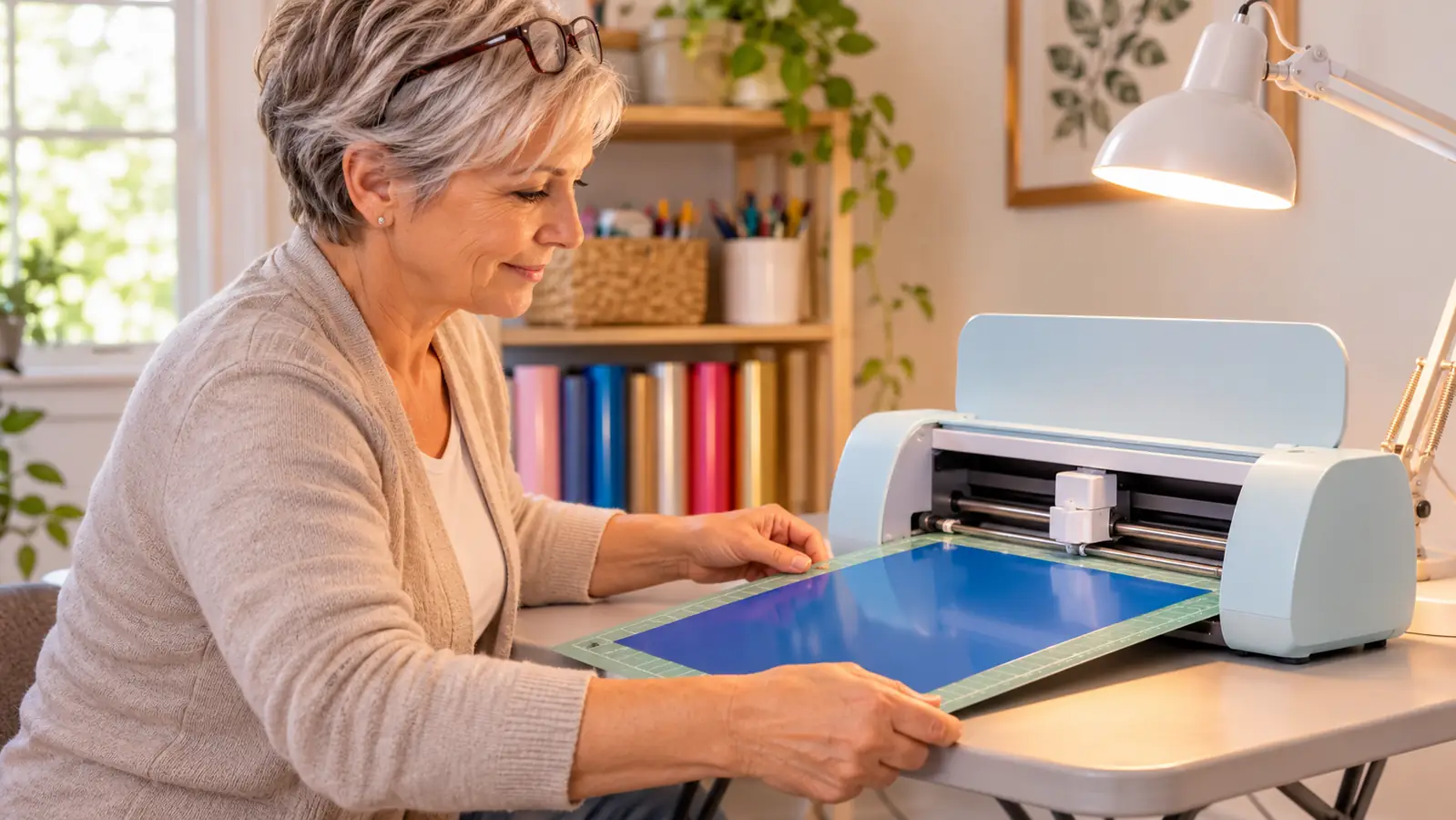
Where the Silhouette Portrait 4 Wins
Where Bev's machine plainly wins is the software. Silhouette Studio looks like a design program. Design Space looks like a catalog with a work area bolted to the side, and I say that as someone who is fond of it. On my two visits Bev built a layout on the screen, slid pieces around, and cut a small practice decal without hunting for anything. I could not tell you the names of half the tools she used. What I can tell you is that the program did not appear to be steering her toward a design somebody else had already made. It looked like a drawing board with a cutter attached to it, and that is a different thing from what I sit down to.
Both afternoons followed the same shape. Bev sat down first and built the design while I watched over her shoulder, and then she had me do the same steps with her talking me through them. That is not the same as learning a program, and I want to be clear about it. It is more than reading about one, though. What struck me was that she never opened a menu looking for something. She knew where everything was, the way I know where things are in my own kitchen. Bev has had hers for years and the ease shows. Whether I would have got there on my own, with a manual and a bad temper, I honestly cannot say.
That matters if you draw. I do not. I can pick a leaf or a pumpkin and size it, and that is the extent of my ambition. If you already sketch, or you letter by hand, or you have an idea in your head that no library is ever going to carry, the Portrait 4 is the machine that does not make you start over inside somebody else's app. That headroom is real. It is worth more than the small conveniences I get from mine, if you are the sort of person who will use it.
I want to be fair about what I cannot judge. Two afternoons at a table with help tells me nothing about how the Portrait 4 behaves in month six, whether the blade holds up, or how a long cut runs on it. I have never changed or adjusted the blade on my own machine either, because I choose the material in Design Space and the cut is handled for me. So I am not going to grade Bev's machine on hardware I have not lived with. On the software, which I did see with my own eyes, hers is the deeper tool and I have no argument against it.
The small cutter that earned its foot of table
Eight months at the left end of a folding table, a few projects a month, and I would buy it again. If that is the shape of your work too, this is the machine I would point you toward.
Amazon Check Today's Price on Amazon →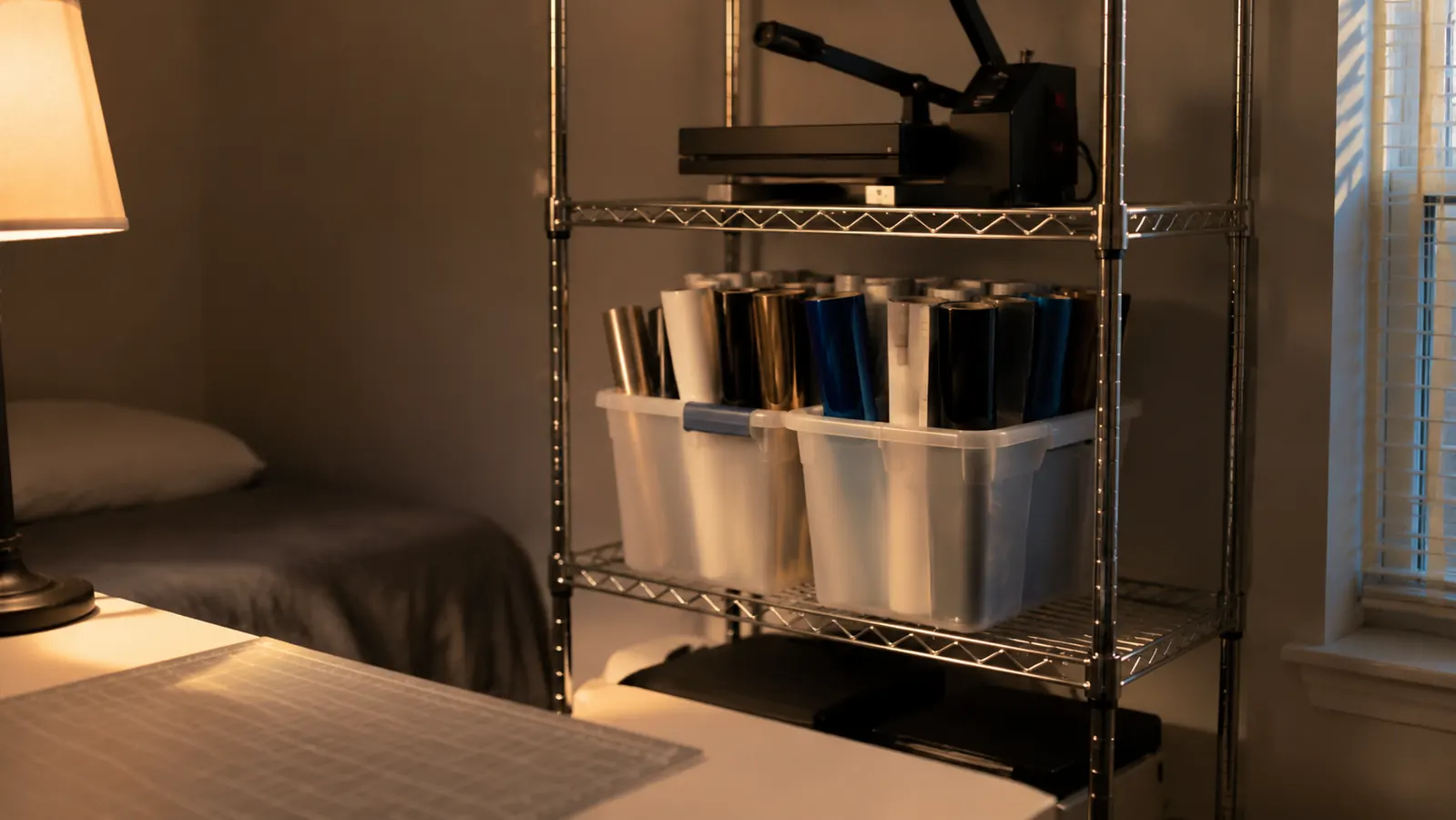
Who Should Buy Which
Buy the Cricut Joy Xtra if your work looks like mine: names, house numbers, a few door labels, a few shirts, all of it small and most of it for people you know. Buy it if you want to sit down after supper, pick a design, cut it, and be finished before the evening is gone. Buy it if your table also has to hold a laptop and a pressing mat, and if a machine that covered half the table would mean you never got it out in the first place. That last point is not a small one. The best cutter in the world does nothing folded up in a closet, and I know myself well enough to say I would have found a reason not to unfold it.
Look hard at the Silhouette Portrait 4 if you already make things on paper or on a screen, and you want the cutter to follow your drawing rather than the other way around. Look at it if you have someone nearby who owns one, the way I had Bev, because I would not have wanted to meet that software alone in my first week. Look at it if you are the sort who reads the manual and enjoys it. I am not that sort, and I know it about myself, and that is most of the reason I bought what I bought.
There is one more thing I would have you weigh, and it has nothing to do with either machine. Whichever way you go, the cutter arrives and then you still need the vinyl, the tools, the tape and the time. I added a heat press in June, months after the cutter, and it sits on the top shelf untouched for weeks at a stretch between jobs. That is the normal shape of this. Buy one machine that fits your room and your patience, use it a few times a month, and let the rest of the supplies catch up as you find out what you actually like making.
What I would tell you if you were standing in my spare bedroom is this. Choose the cutter that makes the work easier for the kind of thing you actually make, not the one with the longer list of things it could theoretically do. For me that was the Cricut, and eight months on I have not regretted the choice for a minute. Glen still has that toolbox decal, torn and recut and all, and it has not lifted yet.
Start with the machine that fits the room you have
One spare bedroom, one folding table, one cutter that never needed more space than that. If your orders are small and occasional, this is enough machine.
Amazon Check Today's Price on Amazon →